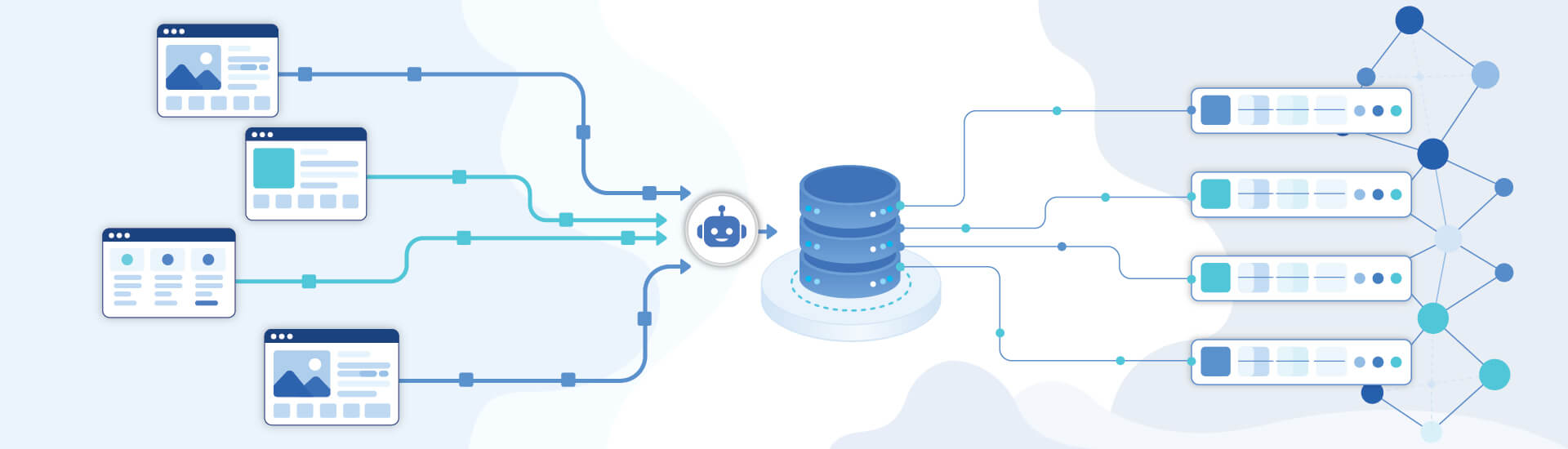
The best web scraping tool in 2026 depends on your use case. Bright Data leads for enterprise anti-bot coverage, Firecrawl for AI and LLM pipelines, Scrapy and Playwright for free open-source scraping, and Octoparse for no-code users. Full pricing and the 20-tool comparison are below.
Contents
- What is a Web Scraping Tool?
- Quick-Pick Decision Matrix
- How to Choose the Right Web Scraping Tool
- 1. AI-Native Web Scraping Tools
- 2. Managed Scraping APIs
- 3. Full-Stack Scraping Platforms
- 4. No-Code Scraping Tools
- 5. Open-Source Scraping Libraries
- Quick Comparison Table
- Common Challenges of Using Web Scraping Tools
- Legal and Ethical Considerations in 2026
- When Should You Hire a Web Scraping Company?
- Conclusion
- FAQs
According to Market Research Future, the global web scraping tools market is projected to grow from USD 1.01 billion in 2024 to USD 2.49 billion by 2032, a CAGR of roughly 11.9%.
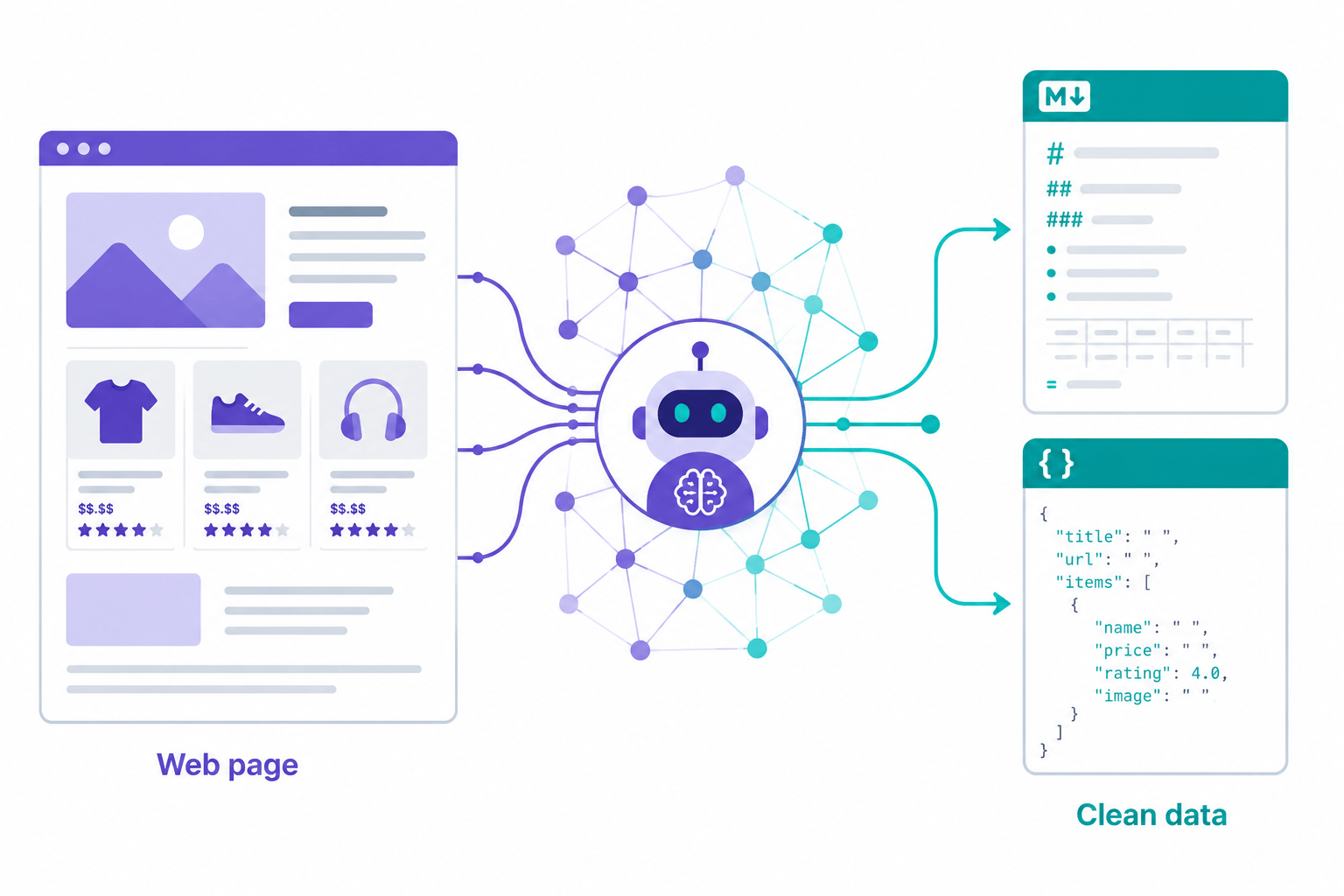
What changed most in 2026? Two things. First, AI-native scrapers now hand you LLM-ready Markdown instead of raw HTML. Second, scraping JavaScript-heavy sites got harder, because Cloudflare and modern fingerprinting got better at spotting bots. A tool that did the job in 2024 might struggle today.
The short version: For a single best managed API, pick Bright Data at the enterprise end or ScrapingBee for mid-market. For AI and LLM pipelines, Firecrawl. For free and open-source, Scrapy on static sites and Playwright on dynamic ones. For no-code, Octoparse.
This guide walks through 20 web scraping tools across five categories, with real pricing, free tier details, benchmarks where they exist, and a plain-language matrix to help you match a tool to what you actually need to do.
What Is a Web Scraping Tool? (And How Is It Different from a Web Crawler?)
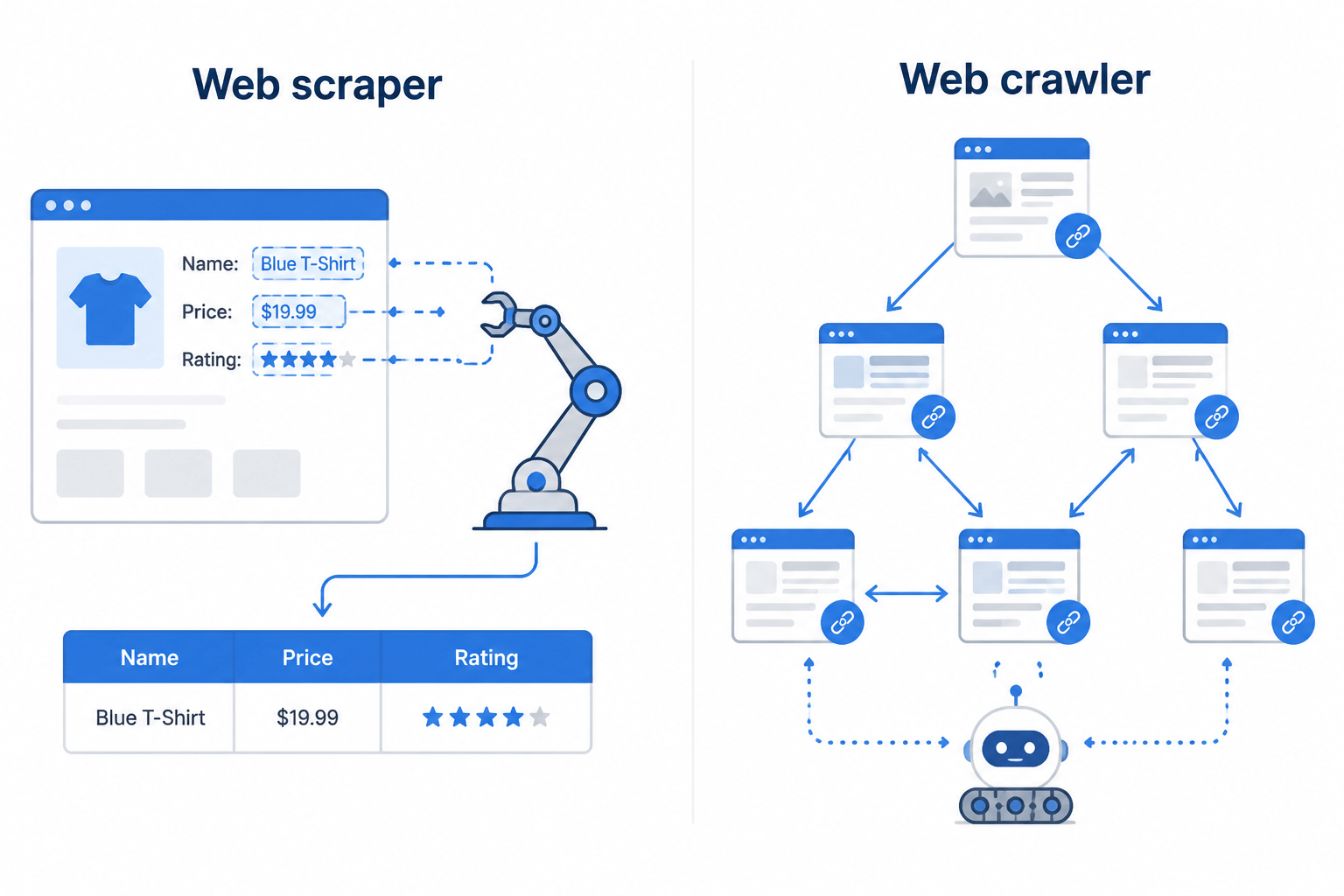
A web scraping tool pulls specific, structured data off a website (prices, product names, contact details, reviews) and hands it back in a usable format like JSON, CSV, or clean Markdown.
A web crawler (or spider) moves through the web by following links from page to page, indexing content for search engines or mapping how a site is laid out. Crawlers go wide. Scrapers go deep.
Most modern tools do both. Apify, Scrapy, and Firecrawl can crawl thousands of pages and pull structured data out of each one in the same workflow.
Quick-Pick Decision Matrix: Choose by Use Case
This table should get you to a shortlist in under a minute.
| If you need… | Best tool | Why |
|---|---|---|
| Enterprise-scale scraping with maximum anti-bot coverage | Bright Data | 150M+ residential IPs, unmatched unblocking |
| AI / LLM pipelines (RAG, agents, embedding) | Firecrawl | Returns clean Markdown natively; 130K+ GitHub stars |
| Fastest open-source crawler (static sites) | Scrapy | 100+ pages/sec, free, MIT license |
| Dynamic / JavaScript-heavy sites, self-hosted | Playwright | Full browser control, Microsoft-maintained |
| No-code scraping, no programming knowledge | Octoparse | Point-and-click, 400+ prebuilt templates |
| Best-value managed API | ScrapingBee or Scrape.do | Strong success rates, fair pricing |
| Pre-built LLM/AI open-source scraping | Crawl4AI | 66,700+ GitHub stars, free, LLM-optimised output |
| Full-stack scraping platform with marketplace | Apify | 6,000+ Actors, scheduling, storage included |
| eCommerce product data at scale | Bright Data or Import.io | Built-in structured eCommerce extractors |
| Website monitoring and change detection | Browse AI | Self-healing selectors, no-code automation |
| Rule-free AI content extraction | Diffbot | Computer vision + ML, 10B+ knowledge graph |
| Budget-first API (successful-request billing) | Scrape.do | $29/mo Hobby = 250K successful requests |
How to Choose the Right Web Scraping Tool
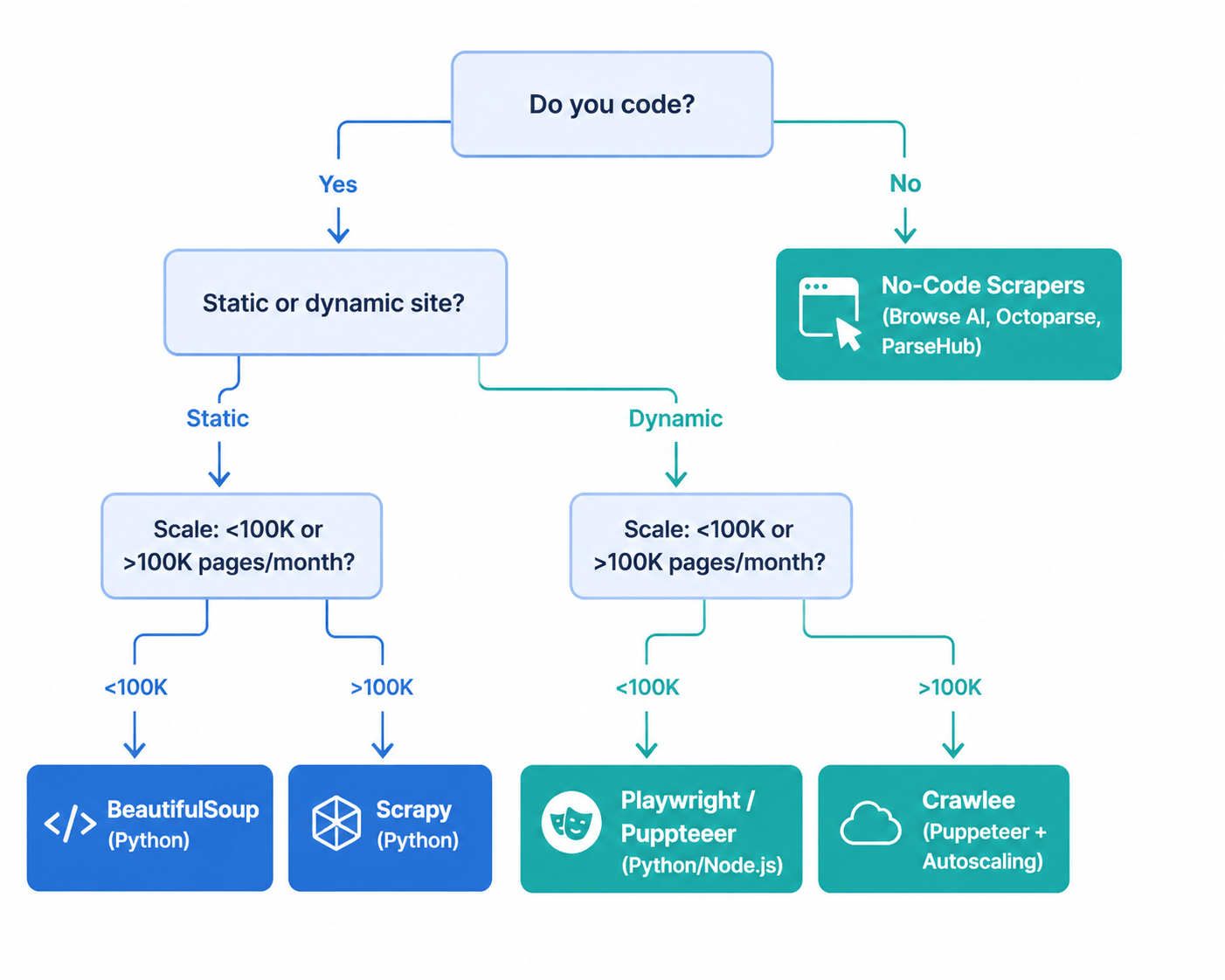
Before you compare specific tools, work out where you stand on these six questions.
- How much can your team code? No-code tools like Octoparse and Browse AI need zero programming. Managed APIs such as ScraperAPI and Firecrawl ask for basic HTTP and REST knowledge. Open-source frameworks like Scrapy and Playwright assume you can write Python or JavaScript.
- How complex is the target site? Static HTML works with any tool. JavaScript-rendered pages, like React, Vue, and Angular single-page apps, need headless browser support, which means Playwright, ScraperAPI, Firecrawl, Apify, or Octoparse’s cloud mode.
- How much do you need to scrape? Under 10,000 pages a month, almost anything works and the free tier covers you. Between 10,000 and a million pages a month, a managed API at $29 to $100 a month usually costs the least. Past a million pages, enterprise platforms like Bright Data or Oxylabs offer volume pricing that starts to make sense.
- How hard will the site fight back? Sites running Cloudflare, Akamai, DataDome, or PerimeterX need three things from your tool: residential proxy rotation, browser fingerprint spoofing, and CAPTCHA solving. Only enterprise-grade APIs or full-browser tools do all three well.
- What format does the data need to land in? Feeding a database or dashboard? JSON or CSV is what you want, so look at ScraperAPI, Octoparse, or Zyte. Feeding an LLM or RAG pipeline? You want clean Markdown, which means Firecrawl or Crawl4AI.
- What about the legal side? Check that the tool supports GDPR and CCPA compliance, respects
robots.txt, and steers clear of personal data collection. Zyte and Bright Data build compliance tooling right in.
Category 1: AI-Native Web Scraping Tools
These tools were built for the way teams work in 2026: feeding LLMs, agents, and RAG pipelines with clean, structured output instead of raw HTML.
1. Firecrawl
Firecrawl is an API-first scraping platform aimed at AI and developer teams. Hand it a URL and you get back clean Markdown, structured JSON, or both, with navigation, ads, and boilerplate stripped out automatically. It deals with JavaScript rendering, proxy rotation, and anti-bot bypass on its own.
It has over 130,000 GitHub stars and SOC 2 Type II certification, and it has become the default for teams building LLM applications, RAG systems, and AI agents that need reliable web context. Shopify, Apple, Canva, and Replit development teams run it in production.
The catch: Firecrawl won’t scrape Instagram, LinkedIn, or Reddit at the API layer, by policy, and it isn’t the cheapest way to collect raw HTML at high volume. Reach for it when output quality and AI-readiness matter more than price per request.
Key features: LLM-optimised Markdown output · JavaScript rendering · Sitemap crawl mode · Structured JSON extraction · /search and /agent endpoints
Free tier: Available
Pricing (June 2026): Hobby $16/mo (5,000 pages) · Standard $83/mo · Scale $333/mo · Self-hosted: open-source via GitHub
Best for: LLM/RAG pipelines, AI agents, content ingestion, developer teams
2. Crawl4AI
Crawl4AI is a free, open-source Python library written for AI workflows. It outputs token-efficient, LLM-ready Markdown, supports chunking strategies for RAG ingestion, and plugs straight into popular LLM providers through its extraction pipeline.
At over 66,700 GitHub stars, it is one of the fastest-growing open-source scraping projects around. Unlike Firecrawl, Crawl4AI runs on your own infrastructure, so you own the hosting, the proxy management, and the anti-bot handling. That gets you full control and no per-request cost. It also gets you the operational work that comes with running your own setup.
Key features: LLM-optimised Markdown output · Async engine · CSS/XPath/LLM-based extraction · Docker support · Cosine similarity chunking
Free tier: Fully free, open-source (MIT license)
Pricing (June 2026): $0, self-hosted
Best for: Developers building AI products on a budget, RAG pipelines, research projects
3. ScrapeGraphAI
ScrapeGraphAI works differently. Rather than returning HTML or Markdown, it takes a natural language prompt, runs it through an LLM, and pulls out exactly the data you asked for as structured JSON. You describe what you want; it goes and gets it.
That makes it handy for one-off extraction jobs or sites that change often, where keeping CSS selectors current would be a headache. The downside is cost per request, since LLM calls stack up, and it’s less reliable on heavily anti-bot-protected targets than dedicated scraping infrastructure.
Key features: Natural language extraction prompts · Direct JSON output · Graph-based LLM pipeline · Python SDK
Free tier: Available via API trial
Pricing (June 2026): Usage-based (LLM token cost + API credits)
Best for: Usage-based (LLM token cost + API credits)
Category 2: Managed Scraping APIs
These services take proxies, CAPTCHA solving, browser rendering, and anti-bot bypass off your plate. You send a URL and get back HTML, Markdown, or structured data. There’s no infrastructure to babysit.
4. Bright Data
Bright Data runs the largest commercial proxy network in the world, with over 150 million residential IPs across 195 countries. On top of the raw proxy infrastructure, its Web Scraper API, Scraping Browser (Playwright and Puppeteer compatible), and Web Unlocker cover the whole pipeline from request to structured output.
Enterprise teams scraping heavily protected sites at very high volume tend to land here: market intelligence platforms, hedge funds, e-commerce analytics. It isn’t cheap. There’s no real free tier, and the volume pricing only gets competitive above $200 a month.
Key features: 150M+ residential IPs · Web Unlocker for Cloudflare/advanced anti-bot · Scraping Browser (Playwright-compatible) · SERP API (Google, Bing, Yandex, Baidu) · Pre-built structured data extractors Free tier: Trial credits only (no ongoing free tier)
Free tier: Trial credits available (no ongoing free tier).
Pricing (June 2026): Web Scraper API from $499/mo · Proxy pricing from $1.30/GB residential
Best for: Web Scraper API from $499/mo · Proxy pricing from $1.30/GB residential
5. ScraperAPI
ScraperAPI is one of the most widely used general-purpose scraping APIs. It manages proxy rotation across 40M+ proxies in 50+ countries, solves CAPTCHAs, and renders JavaScript, all through one endpoint. Send a URL, get back the rendered HTML.
It processes millions of requests asynchronously and includes a dedicated account manager on higher plans. Its Structured Data Endpoints for Amazon, Google, and Walmart are a real strength for e-commerce teams that want normalized product data without writing their own parsers.
Key features: 40M+ proxies in 50+ countries · CAPTCHA solving · JavaScript rendering · Geotargeting · Amazon/Google/Walmart SDEs
Free tier: 5,000 API credits/month (no card required)
Pricing (June 2026): Hobby $49/mo · Startup $149/mo · Business $299/mo
Best for: General-purpose scraping, e-commerce data, teams scaling from prototype to production.
6. ScrapingBee
ScrapingBee lands near the top of independent anti-bot benchmarks. Proxyway’s independent evaluation clocked it at an 84% success rate on heavily protected sites. It hides proxies, headless browsers, CAPTCHA, and headers behind a single HTTP call, and the response can come back as HTML, a screenshot, or JSON.
Its Google Search API and natural language extraction features make it a good pick for SEO monitoring and content research. Entry pricing is competitive, and the documentation is widely considered the best in class for getting started.
Key features: Headless browser rendering · Proxy rotation · Google Search API · Natural language data extraction · Screenshot capture
Free tier: 1,000 credits/month.
Pricing (June 2026): Freelance $49/month; Startup $99/month; Business $249/month.
Best for: Protected site scraping, SEO monitoring, mid-market teams
7. Oxylabs
Oxylabs offers enterprise-grade proxy infrastructure with strong residential and data center options, plus a Web Scraper API for structured extraction. Its real-time proxy network and dedicated account managers make it a trusted pick for large market intelligence and competitor monitoring projects.
Where it really shines is projects that need geographic precision: geo-targeted pricing data, localized SERP results, region-specific inventory monitoring. Enterprise clients get a dedicated account manager assigned to them.
Key features: Residential and data center proxies · Real-time scraper · Geo-targeting · Dedicated account manager · GDPR/CCPA compliance tools
Free tier: Trial only
Pricing (June 2026): Custom (contact sales), starts in the $200–$500/mo range depending on volume
Best for: Custom (contact sales), starts in the $200–$500/mo range depending on volume.
8. Zyte
Zyte, formerly Scrapinghub, is built around responsible, compliant scraping. Its Web Scraping API takes care of proxy rotation, browser rendering, and CAPTCHA bypass, and it ships explicit GDPR and CCPA compliance features that help businesses collect data legally.
It runs on Scrapy, which Zyte’s own team created, so it’s the obvious managed-cloud option for teams already at home in the open-source framework. Its pay-as-you-go entry point of $0.13 per 1,000 basic HTTP requests is the cheapest starting tier of any managed API here.
Key features: GDPR/CCPA compliance tools · Proxy rotation · Browser rendering · Built on Scrapy infrastructure · Smart proxy management
Free tier: Trial credits
Pricing (June 2026): Pay-as-you-go from $0.13/1K basic requests · Monthly plans available
Best for: Compliance-first organizations, teams already using Scrapy, cost-conscious projects
9. Scrapingdog
Scrapingdog is a focused scraping API for search engines, social media, and e-commerce sources, with proxy and CAPTCHA management built in. It does well at price monitoring, SEO tracking, and lead generation work.
It’s simpler than the enterprise platforms, which suits small and mid-size teams that want a dependable API without Bright Data’s complexity or Oxylabs’ price tag.
Key features: Multi-source support (search engines, social, eCommerce) · CAPTCHA solving · Proxy rotation · JSON responses
Free tier: Available.
Pricing (June 2026): Starter plans from ~$40/mo (check vendor for current rates)
Best for: Price monitoring, SEO monitoring, lead generation
10. Scrape.do
In independent testing, Scrape.do hit a 98.61% success rate with an average response time of 5.5 seconds and a cost-per-1K of $0.60. For most mid-market use cases, that’s the best value-for-performance on this list. It only bills you for successful requests, so blocks and failures don’t cost you anything.
Key features: Pay-for-success billing · 95M+ proxies · CAPTCHA solving · JavaScript rendering · REST API
Free tier: 1,000 free credits (no card required)
Pricing (June 2026): Hobby $29/mo (250K successful requests) · Standard and Enterprise tiers above
Best for: Budget-conscious teams, developers who want fair success-based pricing
Category 3: Full-Stack Scraping Platforms
11. Apify
Apify is more than a scraping API. It’s a full platform for building, deploying, scheduling, and publishing web scrapers and automation bots, which it calls Actors. The Apify Store holds over 6,000 pre-built Actors spanning AI, automation, e-commerce, lead generation, real estate, SEO, and social media.
Actors are Docker containers that run on Apify’s infrastructure. You can build your own, grab a pre-built one, chain them into pipelines, schedule regular runs, and push the output straight into storage, databases, or downstream apps. If you want reusable scraping workflows without running servers, Apify is hard to beat on the mix of flexibility and managed infrastructure.
Key features: 6,000+ pre-built Actors · Built-in scheduling, storage, and dataset management · MCP server support · Integrations with Zapier, Make, and major cloud platforms
Free tier: $5 in monthly credits
Pricing (June 2026): Starter $29/mo · Scale $99/mo · Business $499/mo
Best for: Building reusable scraping workflows, automation pipelines, teams who need a marketplace of ready scrapers
12. Diffbot
Diffbot uses computer vision and machine learning to classify and pull content from any web page, with no rules or selectors. It reads a page the way a person would: it works out the page type from 20+ categories, then extracts the key attributes with a trained ML model.
What you get back is clean, structured JSON, and you never wrote a CSS selector or an XPath expression. The thing that sets Diffbot apart is its Knowledge Graph, which holds nearly 10 billion linked datasets of companies, products, articles, and discussions. For enterprise intelligence work, that pre-built knowledge layer does a lot of heavy lifting.
Key features: Computer vision page classification · Rule-free ML extraction · 10B+ entity Knowledge Graph · Article, Product, and Discussion APIs
Free tier: Trial plan available.
Pricing (June 2026): Custom enterprise pricing (contact sales)
Best for: Enterprise knowledge graph applications, rule-free extraction at scale, research and intelligence platforms
Category 4: No-Code Scraping Tools
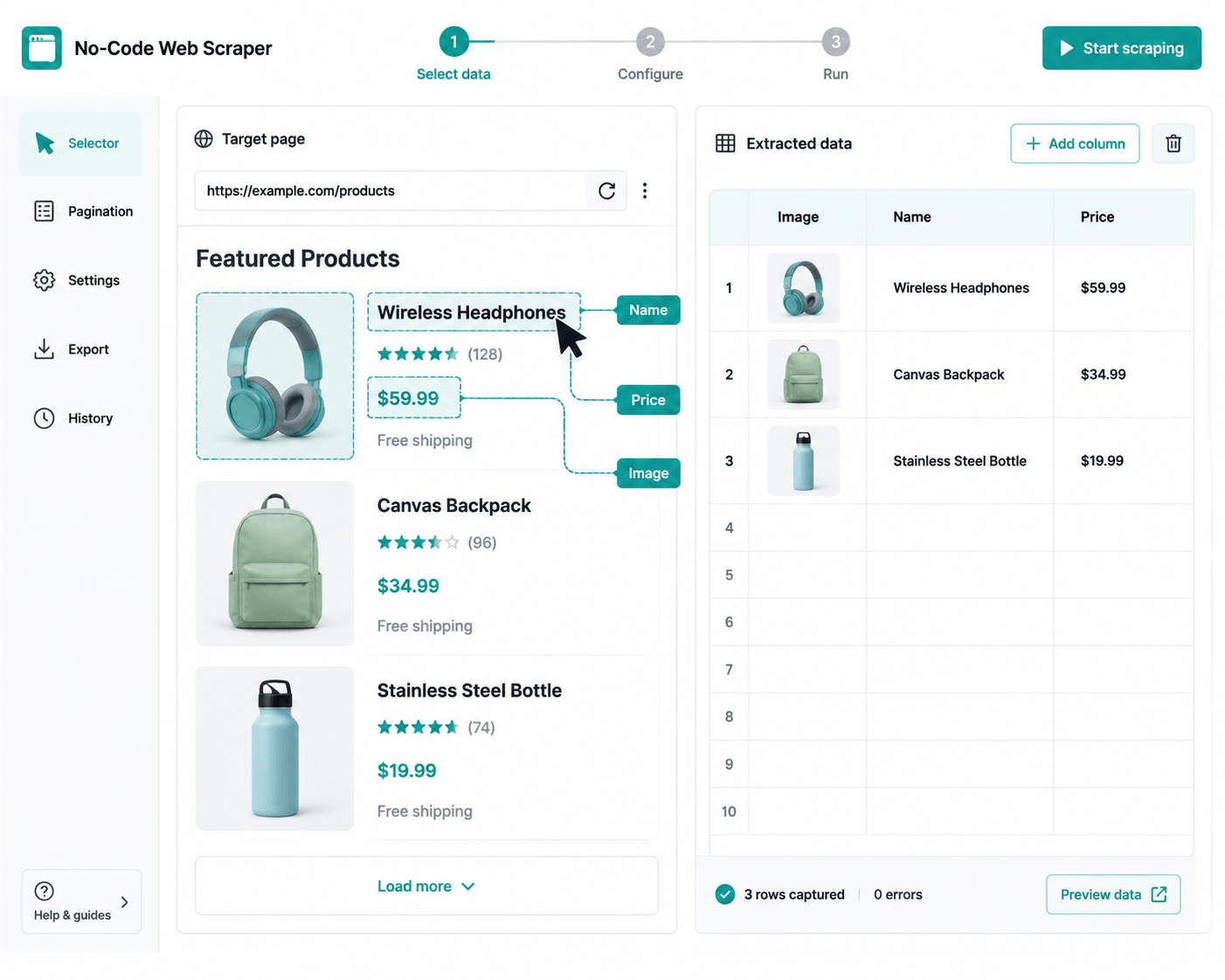
These platforms ask for no programming. You point and click to mark what you want pulled, and the tool builds and runs the scraper for you.
13. Octoparse
Octoparse is the most mature no-code scraper out there, with both a desktop app and a cloud platform built around a visual workflow designer. You build a scraper by clicking elements in a browser preview. No code.
It ships with 400+ pre-built templates for popular sites including Amazon, LinkedIn, and Google, so common sources need no setup at all. For non-technical teams, it’s the most complete self-service option, and it handles IP rotation, CAPTCHA solving, and cloud scheduling out of the box.
Key features: workflow designer · 400+ prebuilt templates · Desktop and cloud modes · IP rotation · CAPTCHA solving
Free tier: Free plan with limited task runs
Pricing (June 2026): Standard $89/mo · Professional $249/mo
Best for: Non-developers, business analysts, teams testing scraping viability without an engineering resource
14. Browse AI
Browse AI focuses on website monitoring and change detection, and it uses self-healing selectors. When a site’s structure shifts, the selectors adapt instead of breaking. That makes it a good fit for ongoing competitive monitoring rather than one-off jobs.
You train it by showing it what you want pulled. After that it runs scheduled checks and pings you when something changes. There are pre-built robots for common tasks too, like tracking Amazon prices, watching job boards, or keeping an eye on competitor product pages.
Key features: Self-healing selectors · Change detection alerts · Pre-built monitoring robots · Cloud scheduling · No-code setup
Free tier: Limited free plan
Pricing: Starter plans available; check vendor for current rates
Best for: Ongoing competitor monitoring, price tracking, content change alerts
15. ParseHub
ParseHub handles JavaScript-heavy and AJAX-driven sites through a browser-based visual interface. You click the parts of the page you want, and it works out the scraper logic for you. Output comes as CSV, JSON, or straight through a REST API.
Its Google Sheets and Tableau integrations make it a natural fit for BI teams who want scraped data flowing into the tools they already use for analysis.
Key features: JavaScript/AJAX site support · Point-and-click interface · REST API access · Export to Excel, JSON, Google Sheets
Free tier: Free plan (limited pages/run and projects)
Pricing: Standard $149/mo · Professional plans above
Best for: Dynamic sites, non-technical BI teams, one-off extraction projects
16. Import.io
Import.io focuses on protected, high-value e-commerce data: product details, reviews, rankings, Q&A, and availability across the major retail platforms. Its AI-powered interaction mode gets past CAPTCHAs and login walls that stop simpler tools cold.
For e-commerce teams that need structured, reliable product data at scale, especially from protected or login-walled sources, Import.io is a managed, enterprise-grade answer.
Key features: Protected eCommerce source specialization · AI CAPTCHA and login bypass · Product, review, ranking, availability data · Managed data delivery
Free tier: None (enterprise platform)
Pricing: Custom enterprise pricing
Best for: Enterprise e-commerce teams, competitive price intelligence, retail analytics
Category 5: Open-Source Scraping Libraries
These tools are free, self-hosted, and put you fully in charge. You run your own infrastructure, proxies, and anti-bot handling. In exchange, there’s no licensing cost, no per-request fee, and nothing locking you to a vendor.
17. Scrapy
Scrapy is the most capable open-source crawling framework available, good for 100+ pages per second on static sites. It’s Python-based, MIT-licensed, and has been the backbone of large-scale scraping for over a decade.
Its architecture keeps the moving parts apart, separating requests, parsing, pipelines, and storage, which keeps it maintainable at any scale. If you’re scraping millions of pages a month and have Python engineers in-house, Scrapy is the lowest total cost of ownership you’ll find.
Key features: 100+ pages/sec on static sites · Full middleware system · Built-in item pipeline for data processing · Scrapy Cloud deployment via Zyte
Free tier: Fully free (MIT license)
Pricing: $0, self-hosted
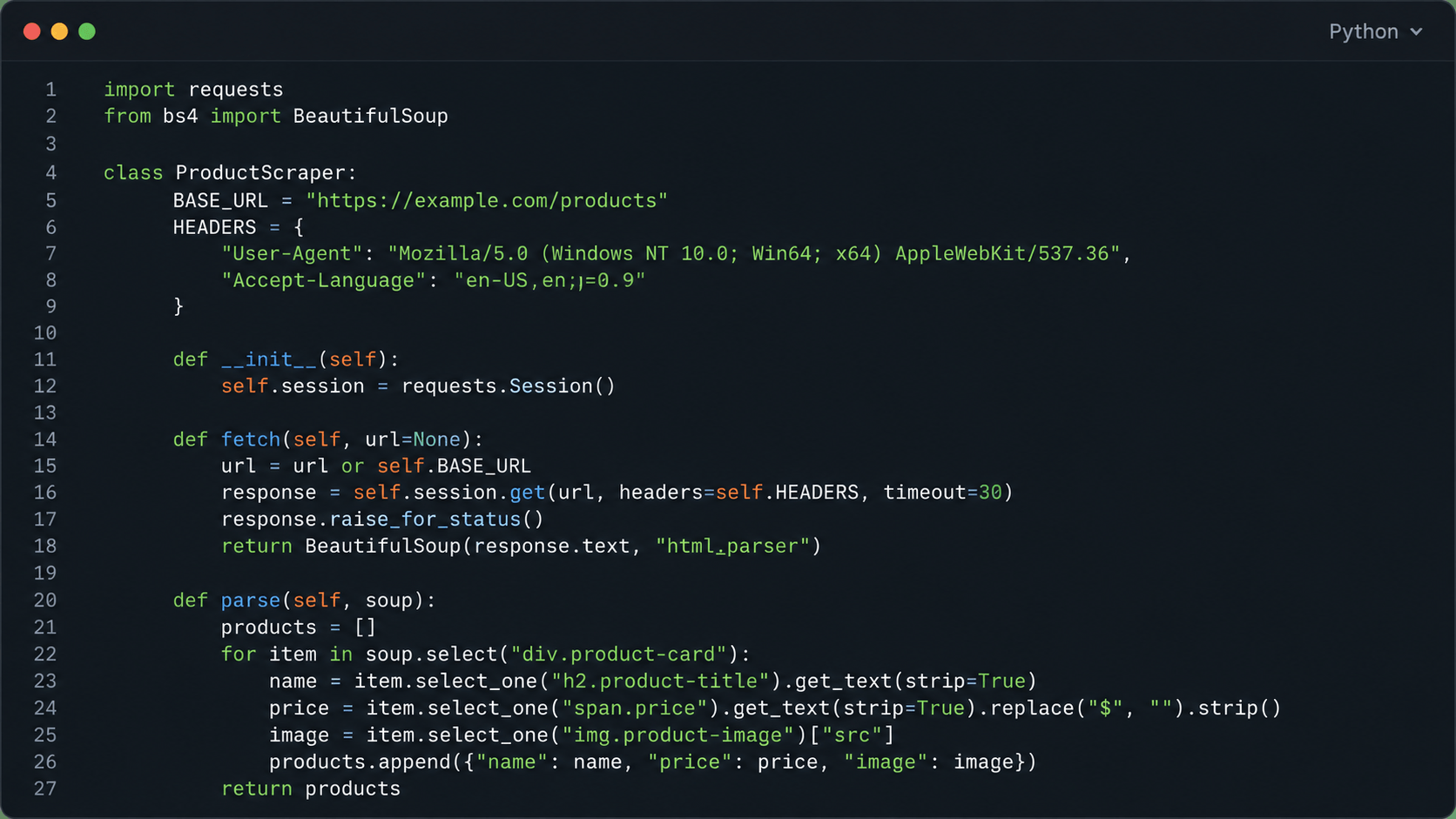
Best for: Large-scale static site scraping, teams with Python engineers, projects needing full control Here’s a basic Scrapy spider so you can see how it’s structured:
Here’s a basic Scrapy spider so you can see how it’s structured:
import scrapy

class ProductSpider(scrapy.Spider):
    name = "products"
    start_urls = ["https://example.com/products"]

    def parse(self, response):
        for product in response.css("div.product"):
            yield {
                "name": product.css("h2.title::text").get(),
                "price": product.css("span.price::text").get(),
                "url": product.css("a::attr(href)").get(),
            }

        # Follow pagination automatically
        next_page = response.css("a.next::attr(href)").get()
        if next_page:
            yield response.follow(next_page, callback=self.parse)
Run it with scrapy runspider products.py -o output.json to save the results straight to a file.
18. Playwright
Playwright, maintained by Microsoft, is the leading open-source framework for headless browser automation. It drives Chromium, Firefox, and WebKit, which makes it the tool of choice for scraping JavaScript-rendered pages, SPAs, and sites that need real interaction, like filling forms, clicking buttons, and scrolling forever.
It supports Python, JavaScript, TypeScript, and .NET, and on modern sites it’s faster and more reliable than the older Selenium framework.
Key features: Multi-browser support (Chromium, Firefox, WebKit) · Full JS rendering · Browser interaction (click, type, scroll) · Python and JavaScript APIs · Async support
Free tier: Fully free (Apache 2.0 license)
Pricing: $0, self-hosted
Best for: JavaScript-heavy sites, SPAs, sites requiring interaction, developers who need full browser control
19. BeautifulSoup
BeautifulSoup is a Python library for parsing static HTML and XML. It isn’t a scraper on its own. It parses the HTML you fetch with requests. But it’s the most common extraction layer for simple, static-site projects.
If a site doesn’t need JavaScript rendering and you want something quick and light, BeautifulSoup and requests together are still the simplest, most readable way to go.
Key features: HTML and XML parsing · CSS selector and XPath support · Minimal dependencies · Extremely readable code
Free tier: Fully free (MIT license)
Pricing: $0
Best for: Simple static sites, quick scripts, Python beginners, lightweight extraction tasks
20. Crawlee
Crawlee, built by the Apify team and released open-source under the MIT license, is a production-ready scraping library for Node.js and Python. It rolls HTTP crawling, Playwright browser control, request queue management, and storage into one framework. Think of it as the infrastructure layer Scrapy gives Python developers, but with a modern async architecture.
It deploys cleanly to Apify’s managed platform if you later decide you’d rather not self-host, so it’s a smooth path from open-source development to managed production.
Key features: HTTP + browser (Playwright/Puppeteer) in one library · Request queue and session management · Storage integration · Apify-deployable
Free tier: Fully free (MIT license)
Pricing: $0, self-hosted
Best for: Node.js/TypeScript developers, teams who want open-source now and managed infrastructure later
Master Comparison Table
| Tool | Category | Free Tier | Starting Price | Anti-bot | JS Rendering | Best For |
|---|---|---|---|---|---|---|
| Bright Data | Managed API | Trial only | ~$500/mo | ★★★★★ | Yes | Enterprise scale |
| Firecrawl | AI-native | Yes | $16/mo | ★★★★☆ | Yes | LLM pipelines |
| Scrapy | Open-source | Free | $0 | ★ (DIY) | No (add Playwright) | Large-scale static |
| Playwright | Open-source | Free | $0 | ★ (DIY) | ★★★★★ | JS-heavy, dynamic |
| ScrapingBee | Managed API | 1K credits/mo | $49/mo | ★★★★☆ | Yes | Protected sites |
| Apify | Full platform | $5 credit | $29/mo | ★★★★☆ | Yes | Workflow automation |
| Octoparse | No-code | Limited free | $89/mo | ★★★☆☆ | Yes | Non-developers |
| ScraperAPI | Managed API | 5K calls/mo | $49/mo | ★★★★☆ | Yes | General purpose |
| Crawl4AI | AI-native | Free | $0 | ★ (DIY) | Yes | AI/RAG (self-hosted) |
| Oxylabs | Managed API | Trial only | Custom | ★★★★★ | Yes | Geo-targeted data |
| Zyte | Managed API | Trial | $0.13/1K req | ★★★★☆ | Yes | Compliance-first |
| Diffbot | Full platform | Trial | Custom | ★★★★☆ | Yes | AI knowledge graph |
| Browse AI | No-code | Limited | From ~$19/mo | ★★★☆☆ | Yes | Monitoring & alerts |
| Scrapingdog | Managed API | Yes | ~$40/mo | ★★★☆☆ | Yes | Price/SEO monitoring |
| Scrape.do | Managed API | 1K credits | $29/mo | ★★★★☆ | Yes | Budget-first teams |
| ParseHub | No-code | Limited | $149/mo | ★★★☆☆ | Yes | BI team integration |
| BeautifulSoup | Open-source | Free | $0 | ★ (DIY) | No | Static parsing |
| Crawlee | Open-source | Free | $0 | ★ (DIY) | Yes (Playwright) | Node.js developers |
| Import.io | No-code | None | Custom | ★★★★☆ | Yes | eCommerce enterprise |
| SERPApi | Managed API | Trial | ~$50/mo | ★★★★☆ | N/A | SERP/SEO data |
Stuck between two tools? Tell us your target sites, volume, and budget, and we’ll point you to the right setup, or build and maintain it for you.
Get a free tool recommendation »Common Challenges of Using Web Scraping Tools, and How to Address Them
Even the best tools hit walls. Here’s what tends to go wrong and how practitioners get around it.
Cloudflare and advanced anti-bot systems. Cloudflare’s Bot Management, Akamai Bot Manager, and DataDome fingerprint browser behavior at the TLS handshake level, not just the IP. Rotating IPs on its own won’t get you past them anymore. What works is residential proxy rotation paired with browser fingerprint spoofing, and tools like Bright Data’s Web Unlocker, Zyte, and ScrapingBee do that for you automatically. A self-hosted setup using Playwright with proper fingerprint randomization, via playwright-stealth or Apify’s Camoufox, can work too, but you’ll need to maintain it as detection patterns shift.
Site structure changes. Websites get redesigned without warning, and CSS selectors break. This is the hidden maintenance cost of scraping. Managed platforms like Browse AI use self-healing selectors that adapt on their own. If you’re running custom scrapers, build your extraction logic against structured data attributes like data-* attributes and JSON-LD schema rather than visual CSS classes, and things break far less often.
JavaScript-heavy dynamic content. Static HTTP scrapers come back with empty shells on React, Vue, or Angular sites. The fix is a headless browser like Playwright or Puppeteer, or a managed API with JS rendering built in. For pipelines where performance matters, go hybrid: send static pages through a fast HTTP crawler like Scrapy and route the JS-heavy ones through Playwright. On mixed-content sites, that can cut browser rendering costs by 60 to 80%.
Data quality and cleaning. Raw scraped data is almost never production-ready. Inconsistent formats, missing values, duplicates, encoding issues. They all show up. Plan for a cleansing and validation layer, either inside the scraping pipeline (Scrapy’s item pipeline, Apify’s dataset processing) or as a step downstream.
Legal and robots.txt compliance. Ignoring robots.txt or scraping personal data without authorization puts you at legal risk. More on that next.
Legal and Ethical Considerations in 2026
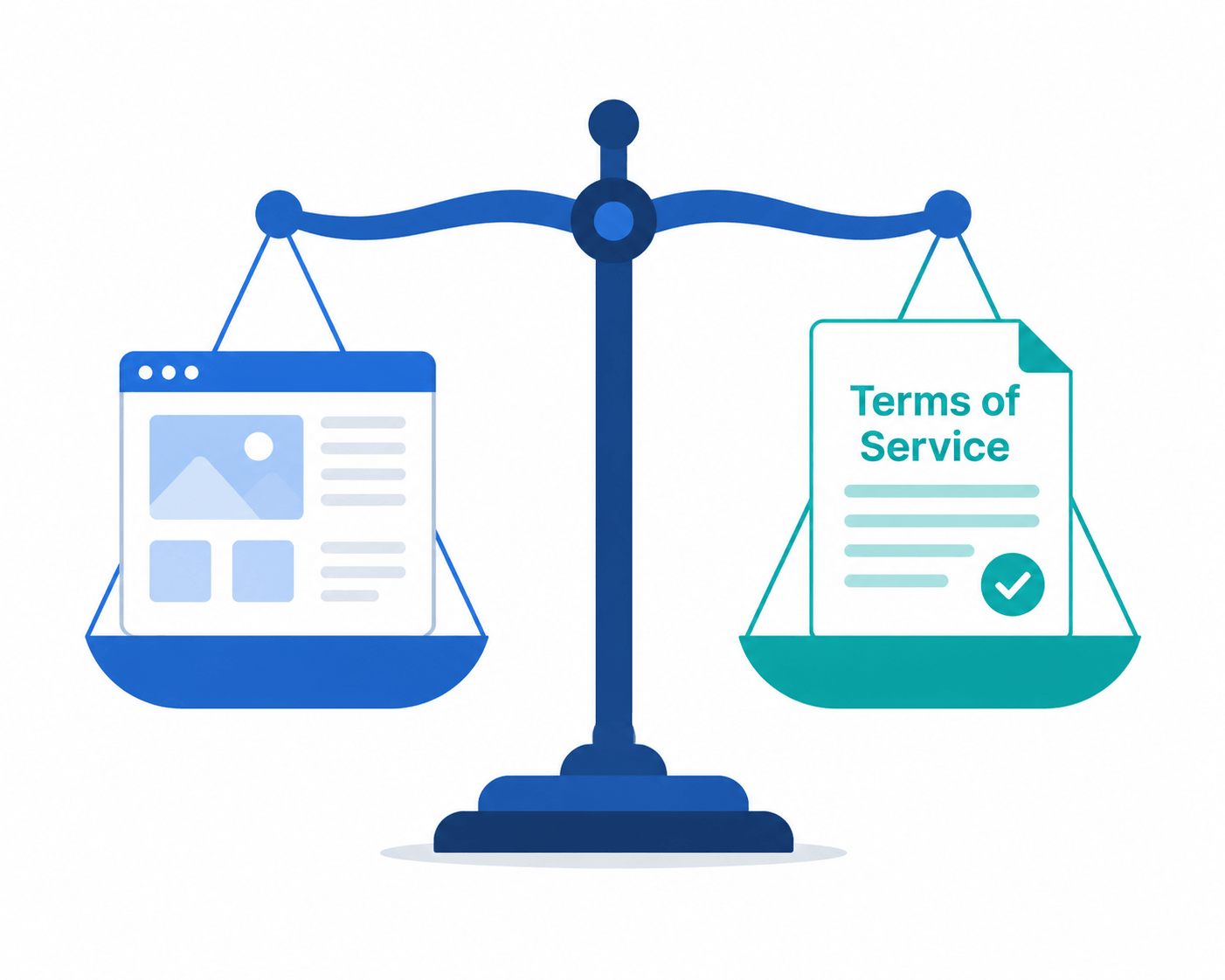
Web scraping sits in a grey legal area, though it has gotten clearer and stricter over the past few years. The principles that matter in 2026:
Publicly available data is generally fine to collect. Scraping data that’s out in the open, like prices, product listings, and publicly posted content, is broadly lawful in most jurisdictions, which the US Ninth Circuit confirmed in its 2022 ruling in hiQ Labs v. LinkedIn. The law still varies a lot from country to country, though.
Respect ‘robots.txt’. It isn’t legally binding in most jurisdictions, but ignoring it gets cited in litigation all the time and signals bad faith. Scrapy respects it by default. Only override it with legal counsel.
GDPR and CCPA cover any personal data. If your scraping picks up names, email addresses, phone numbers, or other personal information, you need a lawful basis under GDPR in the EU or you have to meet CCPA opt-out requirements in California. Collecting personal data without authorization is a serious risk. Zyte and Bright Data both offer compliance tooling built for exactly this.
Read the Terms of Service. Plenty of sites flatly prohibit automated scraping in their ToS. Breaking those terms can lead to civil claims, account bans, and reputational damage. Review them before you deploy at scale.
Don’t scrape to harm or deceive. Using scraped data for market manipulation, fake review generation, or competitive sabotage creates liability that goes well beyond the scraping itself.
Practically: before you run any production scraper against a new domain, do three checks. Look at robots.txt, the Terms of Service, and whether the data includes personal information. If any one of those gives you pause, get legal advice before you go ahead.
When Should You Hire a Web Scraping Company Instead of Using a DIY Tool?
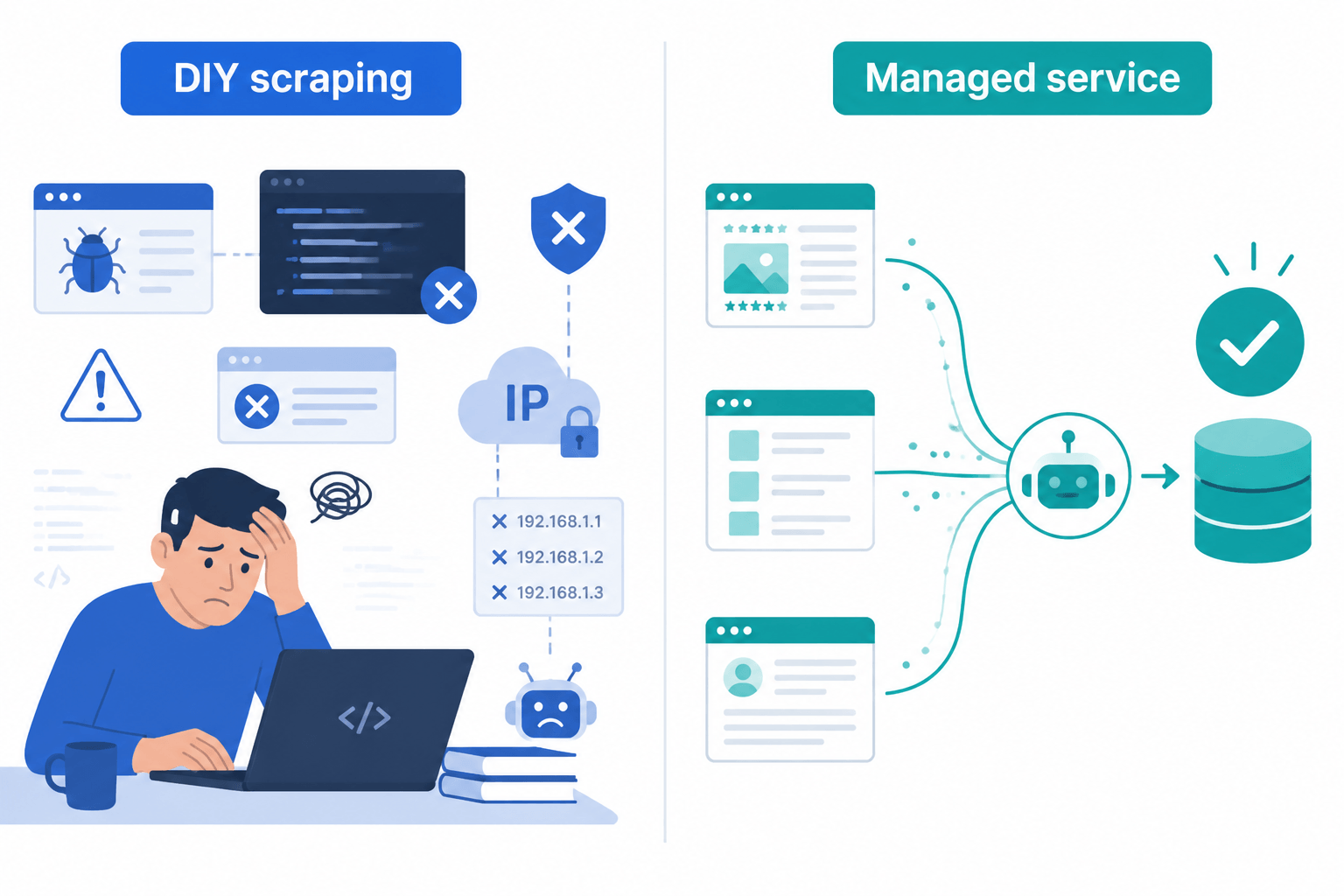
DIY scraping tools do fine on controlled, low-complexity projects with stable targets. They run out of road fast in four common situations.
High volume with legal accountability on the line. When you’re scraping millions of records that will feed business decisions, a data error or a legal misstep gets expensive. A professional scraping company brings quality assurance, compliance review, and contractual accountability.
Site structures that keep changing. Sites redesign their HTML regularly, and DIY scrapers break quietly and return incomplete data. A managed service maintains the scrapers ahead of time, so your data keeps flowing.
Authenticated or protected sources. Some of the most valuable data sits behind logins, paywalls, or serious bot detection. Professional teams have the infrastructure and the experience to deal with that responsibly and reliably.
When prep matters as much as extraction. Raw scraped data is rarely usable as-is. Professional services fold in cleansing, normalization, deduplication, and delivery in the format you need, which turns raw extraction into a data asset you can actually use.
HabileData’s web scraping services cover the whole pipeline: custom scraper development, managed proxy infrastructure, ongoing maintenance, data cleansing, and structured delivery. We’ve run real estate data collection projects for US-based publishers, building workflows that scrape, cleanse, and format data to client specs at scale. If your team needs data rather than tooling, explore HabileData’s data collection services.
Tired of broken selectors, blocked IPs, and compliance guesswork? Hand the whole pipeline to a team that does this daily.
See how managed scraping works »FAQs
Octoparse, for most people. Its visual point-and-click interface needs no code, it comes with 400+ pre-built templates for common sites, and its cloud mode handles scheduling and IP rotation on its own. If your job is specifically monitoring and change detection, Browse AI is the better fit. Both have free plans to start with.
Firecrawl is the go-to managed option for LLM-ready scraping. It returns clean Markdown natively, handles anti-bot and JS rendering, and integrates in a single API call. If you’re on a budget and can self-host, Crawl4AI (open-source, 66,700+ GitHub stars) is purpose-built for RAG and LLM workflows and costs nothing.
A web scraping tool like Octoparse is a standalone app or interface where you build and run scrapers visually. A web scraping API like ScraperAPI or Firecrawl is a programmatic service: you send a URL over HTTP, get structured data back, and wire that into your own code or pipeline. APIs fit automated, developer-built workflows. Tools fit visual, project-based work.
Modern managed APIs do it for you. They rotate residential IPs, solve CAPTCHAs with third-party services or ML models, and spoof browser fingerprints to dodge detection. Bright Data, Zyte, ScraperAPI, and ScrapingBee handle all of that invisibly. For self-hosted setups like Playwright or Scrapy, you add it yourself with libraries such as playwright-stealth, scrapy-rotating-proxies, and third-party CAPTCHA solvers.
Scraping publicly available data is generally legal in the US and EU, following the Ninth Circuit’s 2022 hiQ v. LinkedIn ruling. The main restrictions: respect robots.txt, comply with GDPR and CCPA when you collect personal data, and review each site’s Terms of Service before scraping at scale. Scraping behind authentication or grabbing personal data without a basis creates legal risk. When in doubt, talk to legal counsel before running production scrapers.
Bright Data (largest proxy network, structured e-commerce extractors) and Import.io (specialized in protected product data, including reviews, rankings, and availability) are the strongest for enterprise e-commerce. For mid-market teams, ScraperAPI’s Structured Data Endpoints for Amazon, Google Shopping, and Walmart deliver normalized product data without building custom parsers.
They solve different problems. Firecrawl is built for AI applications: it returns clean, LLM-ready Markdown and is the shortest path from URL to AI-ready content. Bright Data is built for enterprise-scale unblocking: 150M+ residential IPs, the most aggressively protected sites, and raw data volume. If your destination is an LLM or RAG pipeline, Firecrawl is the better choice. If you need maximum unblocking at very high volume, Bright Data wins.
Go open-source (Scrapy, Playwright, Crawl4AI) when you have Python or JavaScript engineering resources, want full control, want zero per-request cost, or are scraping at volumes where managed API bills get painful. Go with a managed service (ScraperAPI, ScrapingBee, Bright Data) when you’d rather not maintain proxy infrastructure, need reliable anti-bot handling without the engineering overhead, or are prototyping fast and want production reliability from day one.
Scrape.do at $29/mo for 250,000 successful requests ($0.60/1K) is the best value per successful request among paid APIs. Zyte at $0.13/1K for basic HTTP requests is the cheapest for simple, unprotected sites. For protected sites where success rate is what counts, ScrapingBee gives you more reliability per dollar. If cost is everything and you can self-host, Scrapy plus a residential proxy service stays the cheapest option above a few hundred thousand pages a month.
Yes, but not all of them do it by default. Static scrapers like BeautifulSoup with requests, or basic Scrapy, fail on JavaScript-rendered content. The ones that handle JS pages include Playwright, Firecrawl, ScraperAPI with JS rendering enabled, Octoparse in cloud mode, and Apify with Chromium-based Actors. The thing to check for is headless browser rendering. If a tool supports it, it can scrape modern single-page applications.
Conclusion
The best web scraping tools in 2026 is the one that fits your technical resources, your target site complexity, and your output requirements. Not the most popular one, and not the most expensive one.
For most teams, that means: Scrapy or Playwright if you have engineering resources and want zero tooling cost; ScrapingBee, ScraperAPI, or Scrape.do if you want managed reliability without enterprise pricing; Firecrawl or Crawl4AI if your target is an LLM or RAG pipeline; Octoparse if you have no programming resources; and Bright Data or Oxylabs if you’re operating at enterprise scale against heavily protected targets.
Whatever you choose, scrape ethically: respect robots.txt, review the site’s Terms of Service, and make sure you have a lawful basis for handling any personal data you collect.
If you need accurate, structured data without managing the tooling, infrastructure, or compliance yourself, HabileData’s web scraping services offer a fully managed alternative: custom scraper development, ongoing maintenance, data cleansing, and delivery in the format you need.
Want clean, structured data instead of tooling to look after?
Book a free 30-minute scraping consultation »


Snehal Joshi , Head of Business Process Management at HabileData, leads a 500-member team of data professionals, having successfully delivered 500+ projects across B2B data aggregation, real estate, ecommerce, and manufacturing. His expertise spans data hygiene strategy, workflow automation, database management, and process optimization - making him a trusted voice on data quality and operational excellence for enterprises worldwide. 🔗Connect with Snehal on LinkedIn